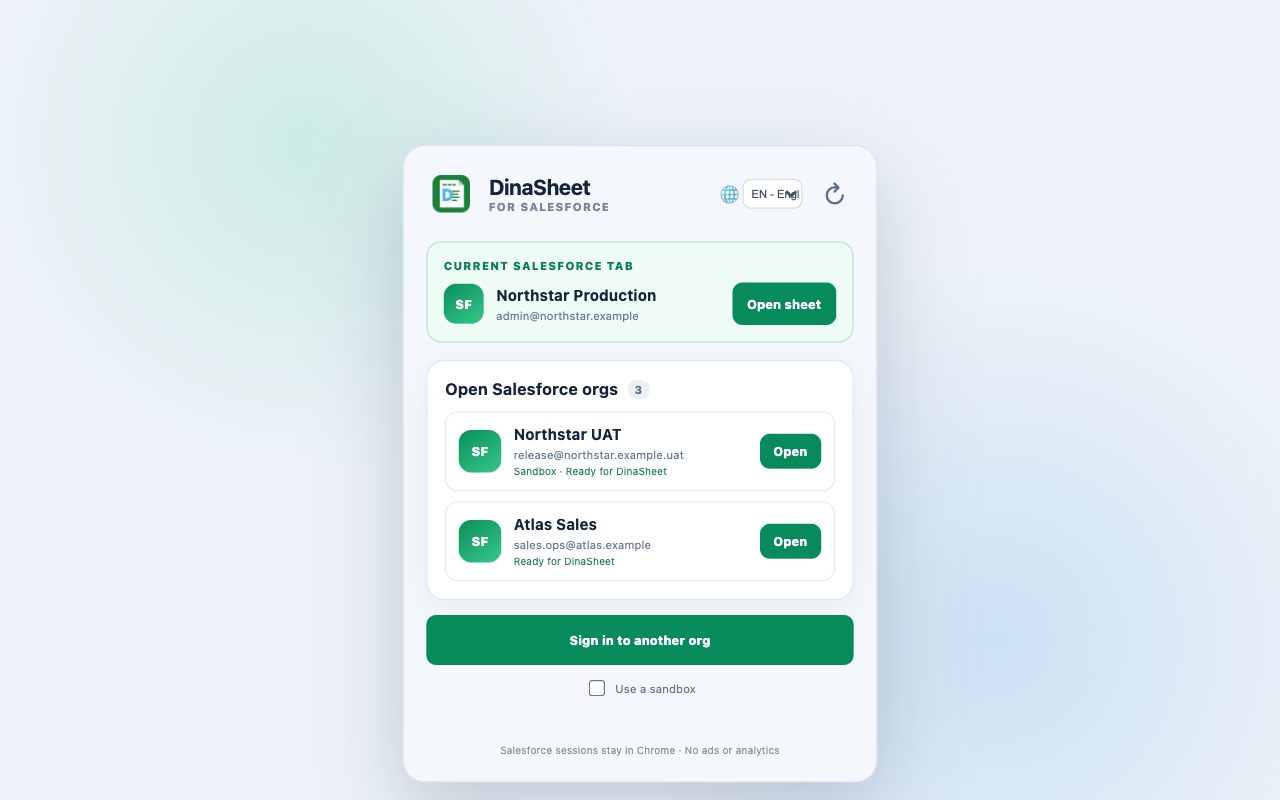
Org-aware launch
See the current Salesforce tab and other signed-in orgs before opening a sheet for the selected session.
A focused spreadsheet workspace for Salesforce data. Save SOQL files in folders, organize query, list-view, and report shortcuts in Favorites, download results, and review exact changes before sending a confirmed update.
Sheet for Salesforce is an independent product and is not affiliated with, endorsed by, or sponsored by Salesforce.
See the current Salesforce tab and other signed-in orgs before opening a sheet for the selected session.
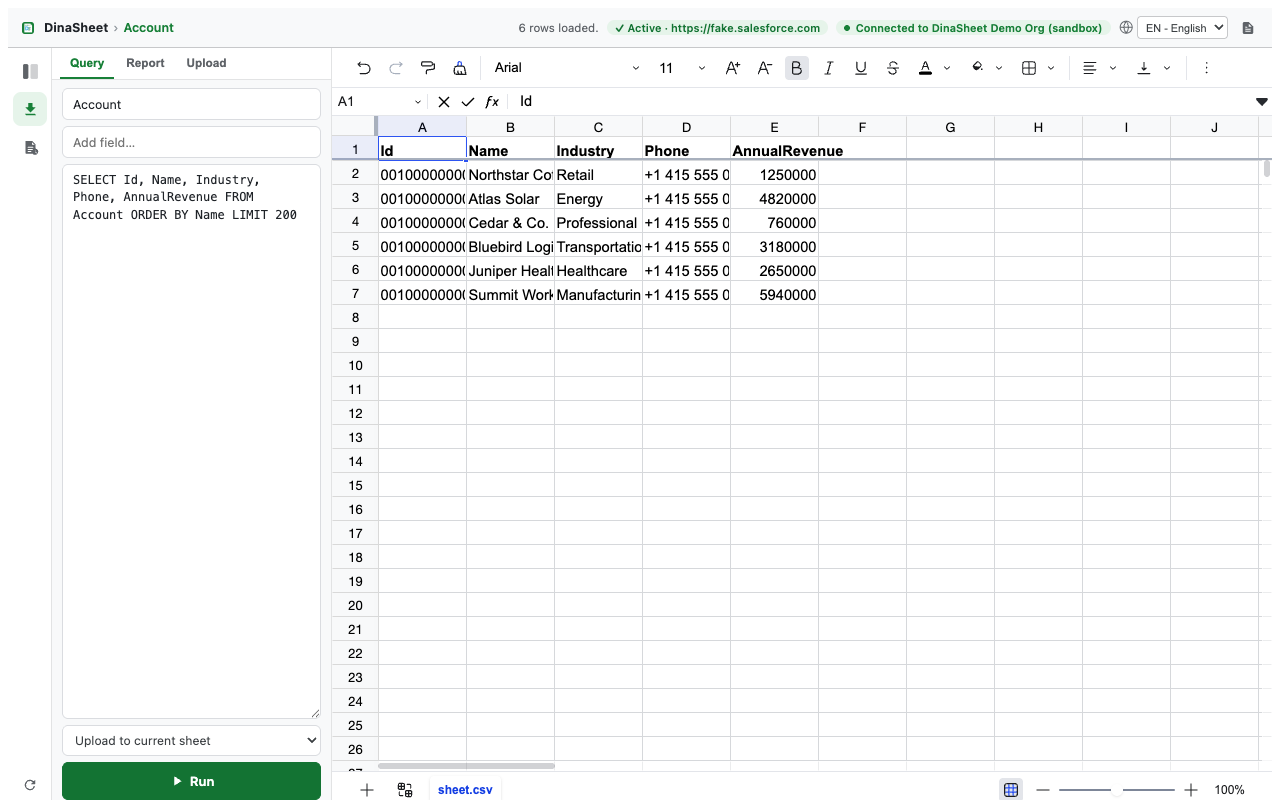
Keep per-org SOQL files in Query folders, edit their query text, and reopen them as live Salesforce views.
Organize query files, object list views, and reports into per-org Favorites folders for one-click access.
Download one favorite as CSV or Excel, or export a whole Favorites folder as ZIP or a multi-sheet workbook.
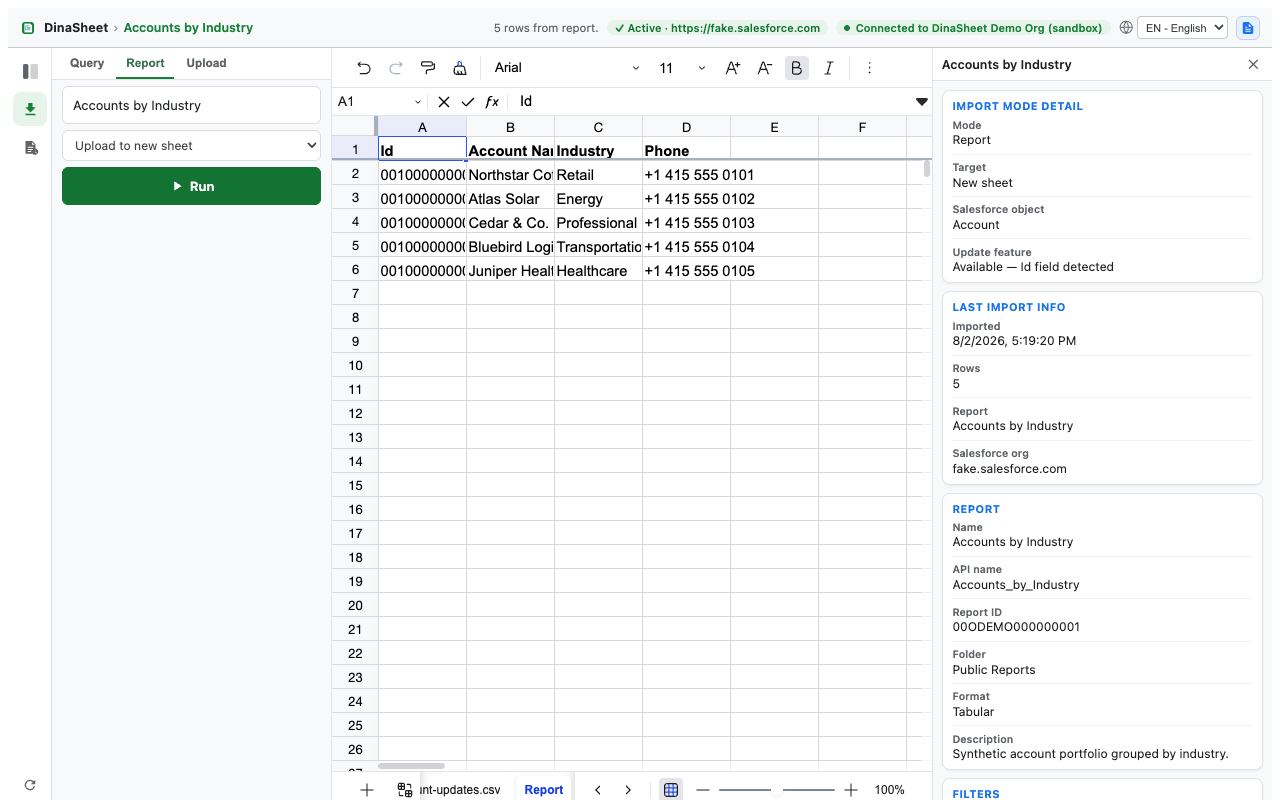
Browse Salesforce list views and reports in a familiar multi-sheet grid, including large-report workbook fallback.
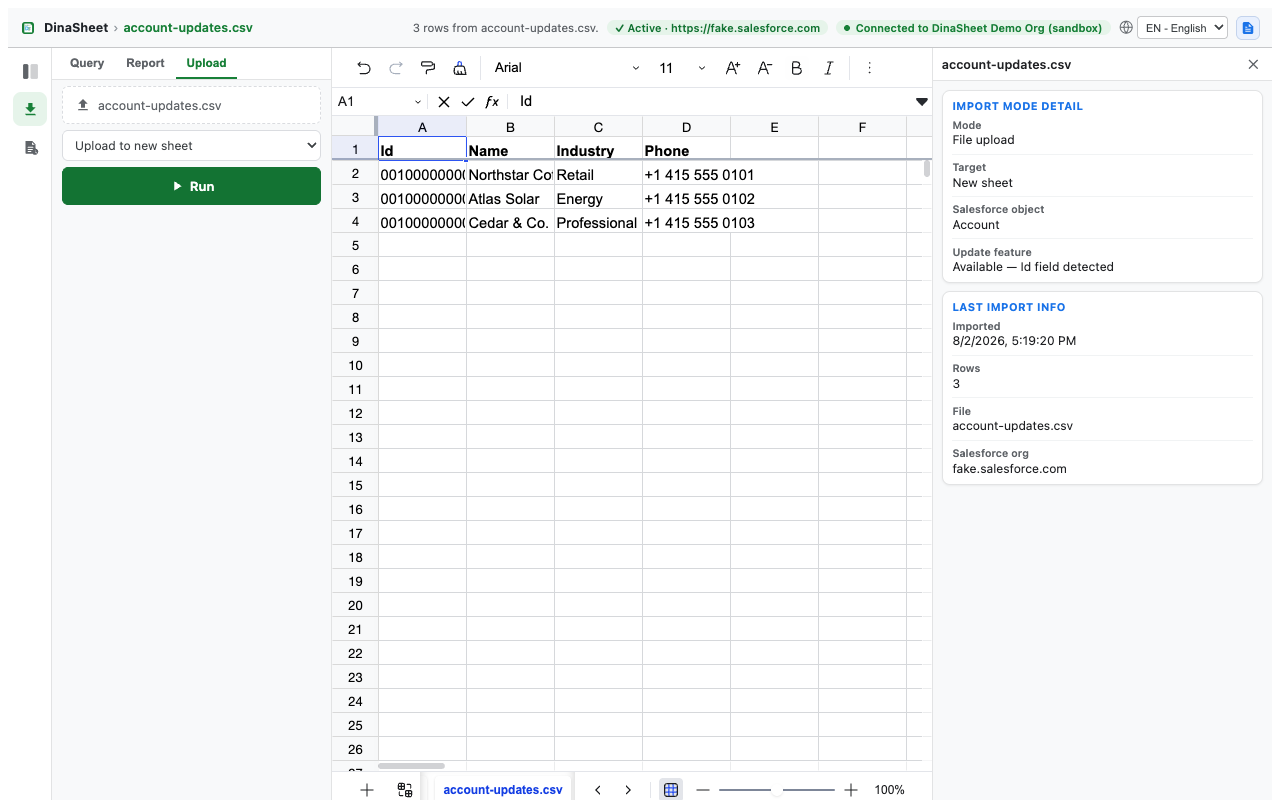
Open CSV and Excel files locally in the browser without uploading them to the developer.
Edit supported object fields inline with validation based on Salesforce schema information.
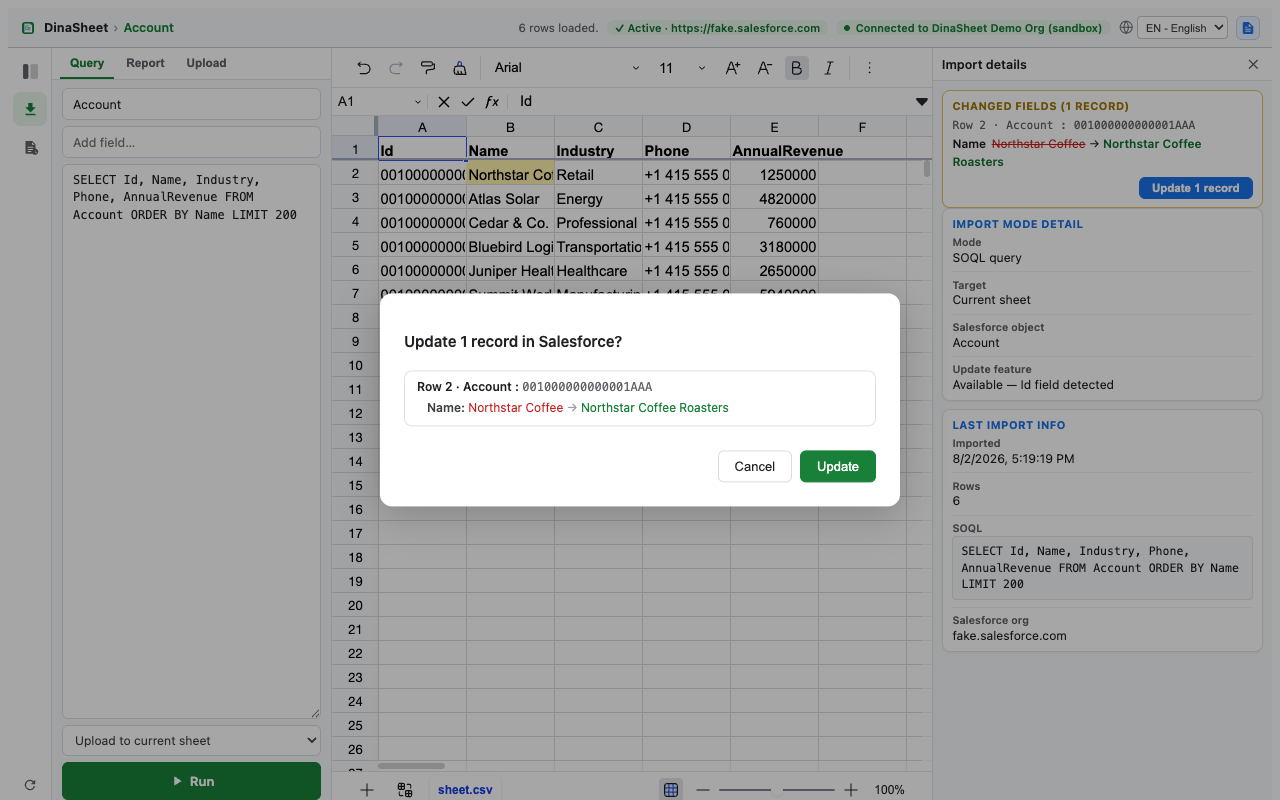
Inspect field-level before-and-after values and explicitly confirm selected rows before an update runs.
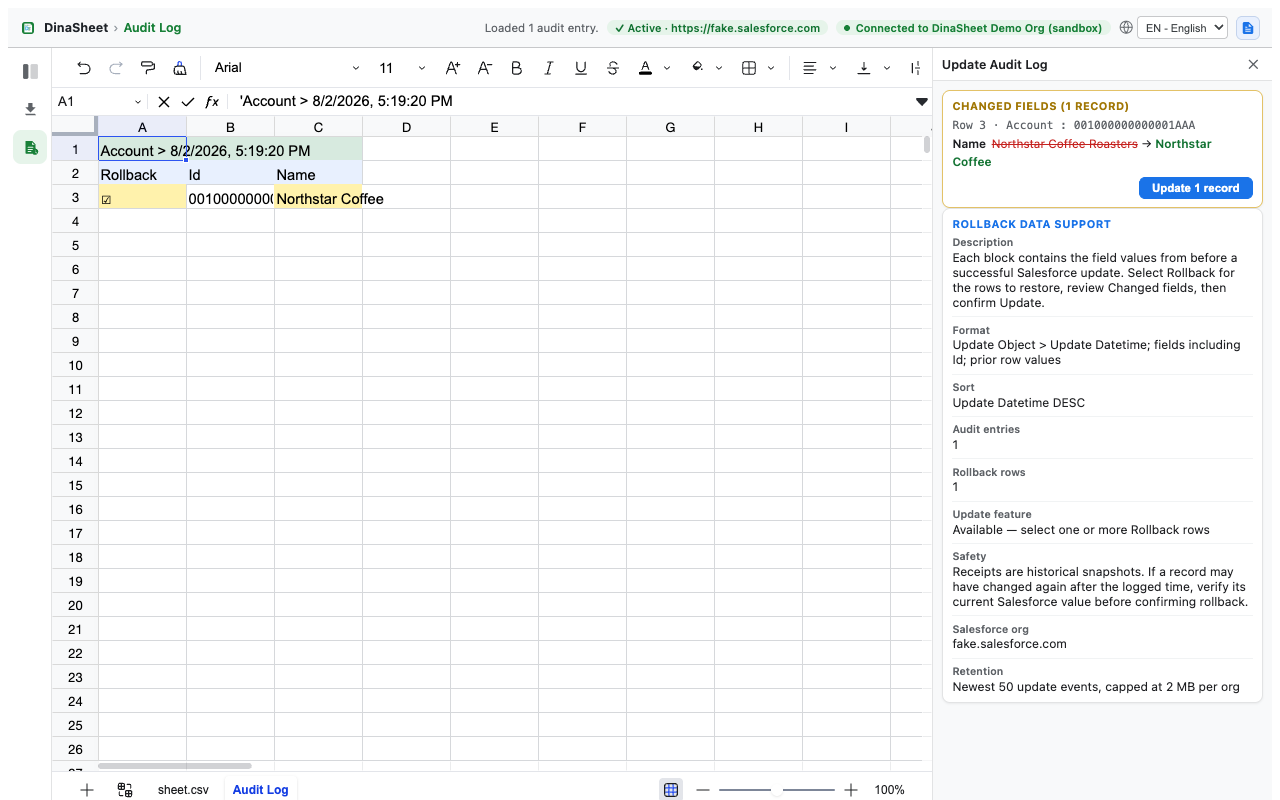
Review bounded per-org update receipts and prepare prior values for a separately confirmed rollback update.
Open a saved query, favorite, list view, report, or local CSV or Excel file.
Edit supported rows and inspect every changed field in the review card.
Confirm the exact records and values before Sheet for Salesforce sends the update to Salesforce.
cookies: reads the existing Salesforce session cookie locally for user-requested API calls.storage: stores preferences, per-org query file and folder definitions, up to 30 Favorites folders and 100 shortcuts per org, and bounded update receipts used for audit and rollback.Version 0.3.2 is a validated release candidate awaiting Chrome Web Store upload. It keeps the persistent Query folders and SOQL files, Favorites folders for query files, list views, and reports, and the CSV, Excel, ZIP, or multi-sheet workbook downloads added in 0.3.0, and fixes three defects found while reviewing that Favorites work: a Favorites folder named Default is no longer discarded on the next load in Japanese, saving folder membership keeps a favorite in its drag-and-drop position, and the language picker's tooltip renders its text in both languages instead of a raw key. It also renames the product from DinaSheet to Sheet for Salesforce; the Store listing, privacy policy, artwork, and screenshots use the new name, while internal source paths and compatibility identifiers stay as they were. The item currently on the Chrome Web Store is the earlier build and is still listed as DinaSheet until 0.3.2 uploads — it is the same product and the same item, and is available to install from the Chrome Web Store.